1
Open the app
Go to driveorganizerpro.com/app and sign in with Google. It’s free to start.
Organize Google Drive from a visual folder tree: a browser-based file manager to multi-select, move, rename, find duplicate files, and sort storage by size. Start with the how to organize Google Drive guide if you want steps.

How it works
Open the organizer in your browser whenever you need to reorganize.
Go to driveorganizerpro.com/app and sign in with Google. It’s free to start.
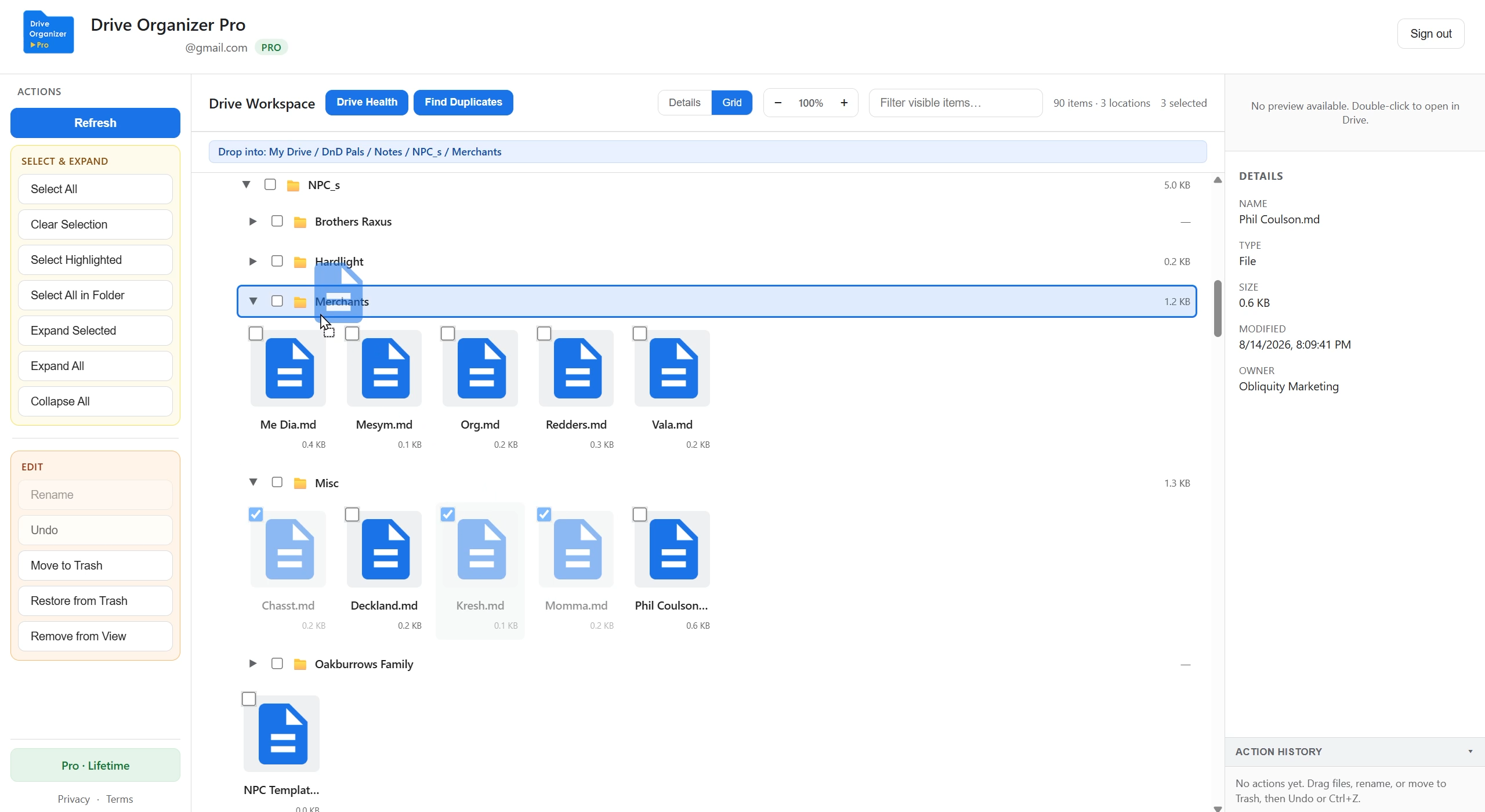
Your whole My Drive tree loads in the workspace. Expand folders, filter items, and check details.
Multi-select, drag to move, rename inline, find duplicates, and clean up without leaving the workspace.
In the app
Same workspace you use after sign-in. See the solution guides for step-by-step workflows.
Check files and folders anywhere in the tree, then drag them into their new home.
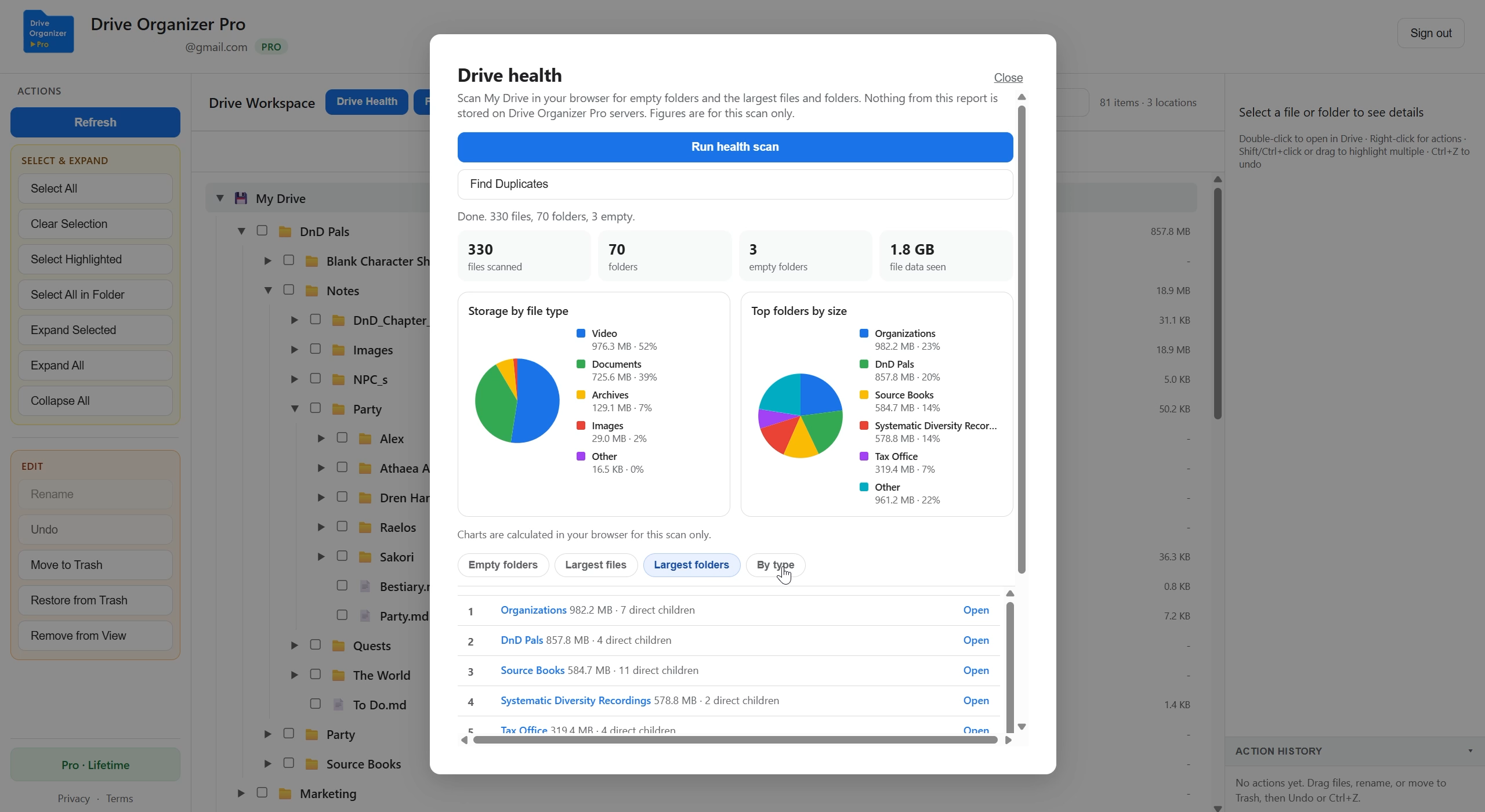
Preview duplicate groups and storage breakdowns free. Pro can move extras and empty folders to Trash.

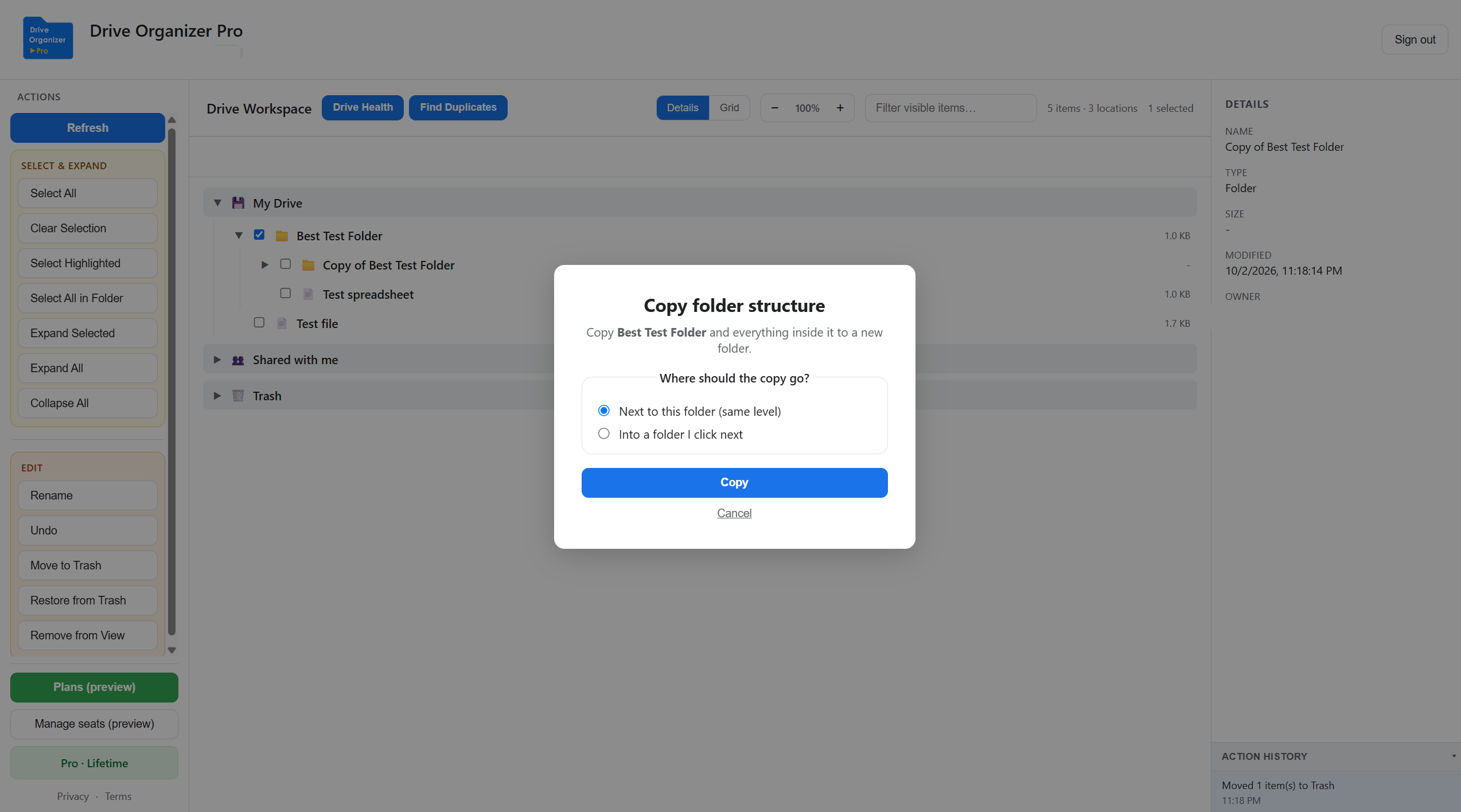
Reuse a master folder as a client or project template. Pro copies the folder and everything inside it, next to the original or into a folder you click.
Pricing
Upgrade inside the organizer after you sign in. Checkout opens securely via Stripe.
$0 forever
Sign in → Upgrade to Pro → choose Monthly or Annual.
Work email required. Lower per-seat rate at 5, 10, and 25 seats. See rates
Trust
We only use Drive access for actions you start in the organizer.

For Google restricted Drive access, Drive Organizer Pro completed a Cloud Application Security Assessment (CASA) with TAC Security, an authorized App Defense Alliance assessor. That is an annual security assessment, not a Google product badge. Files stay in Drive. We do not copy your catalog to our servers.
We use names, types, parents, and sizes to show your tree, not document contents for indexing.
Moves and renames go from your browser to Google. We don’t store your Drive catalog on our servers.
Your Google email is stored with your sign-in session. If you subscribe, we also use it for Pro billing. See the Privacy Policy.
FAQ
Quick answers before you start. More on the FAQ page.
Yes. TAC Security independently assessed the app under the App Defense Alliance CASA AL1 framework, which Google requires for restricted Drive scopes. We do not claim a Google certification or a Workspace Marketplace listing from that assessment.
Drive access so you can list, move, and rename items in your workspace, and your account email to keep you signed in and to check Pro status if you subscribe. You can revoke access anytime in Google Account permissions.
Yes, with Pro. Right-click a folder and choose Copy folder. Keep one master folder as a template, then copy it for the next client or project. See the folder structure copy guide.
Yes, on Free. Browse folder templates or open Templates in the organizer. Import creates empty folders. Copying a Drive folder that already has files stays Pro.
Shared drives, Shared with me, and Trash are Pro. Free covers your whole My Drive tree, moving one file at a time.
Open the organizer, sign in, then use Upgrade to Pro or Manage billing for an existing subscription.
Drive Organizer Pro is a web app at driveorganizerpro.com/app. Sign in with Google in your browser. No Chrome extension is required.
Email support@driveorganizerpro.com with your Google account email and a short description of the issue.