Search phrases this solves
- See what I shared on Google Drive
- Find files I shared with someone
- Google Drive anyone with the link
- Who has access to my Drive files
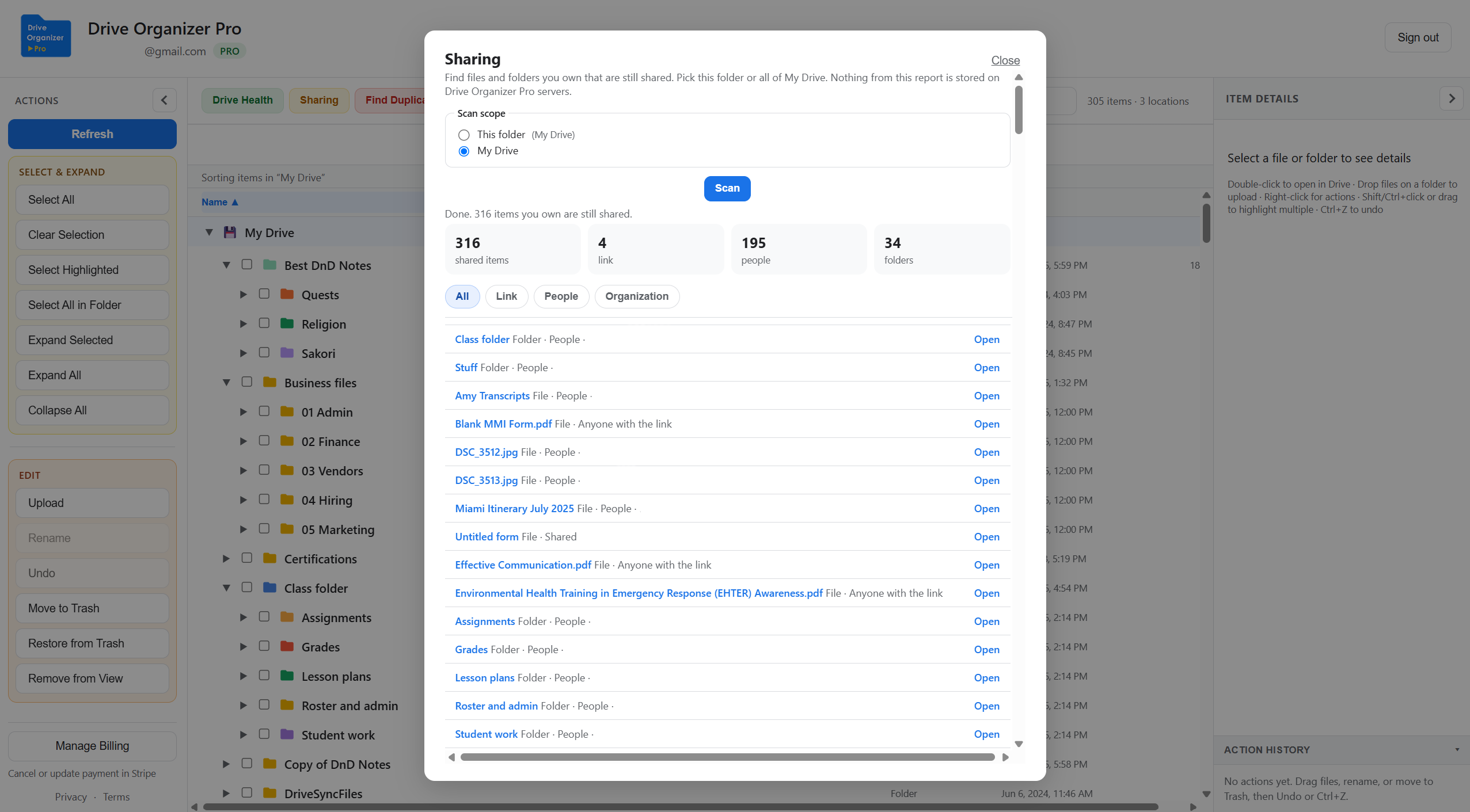
See the files and folders you own that are still shared: anyone with the link, specific people, or your organization. Native Drive has search tricks. It does not give you one list.
The problem
A deck for a meeting, a folder for a contractor, a link you flipped to Anyone with the link for five minutes. Drive can search to:someone@email.com or link visibility on some accounts. Those searches miss old shares and they are not one filterable list.
How it works
Open Sharing in the organizer. Choose This folder (the folder you clicked) or My Drive if you want the wider scan.
The scan walks folders you own and checks which items are still shared. Progress shows how far it has gone. Nothing from the report is stored on Drive Organizer Pro servers.
Use All, Link, People, or Organization. Open an item in Drive when you want to change access. Click a file or folder in the tree to see who has access without running a full scan.
Tips
The Sharing scan is for files and folders you own that are still shared. It is not Shared with me, and it is not a list of who manages a Shared drive. Those stay in Drive or, with Pro, in the same tree.
A full My Drive scan takes longer on a large account. Scan the project or year folder first. Link shares are usually the ones people forgot.
Related
Free on My Drive. Sign in at driveorganizerpro.com/app, then open Sharing.
Open Drive Organizer Pro